
Call us now :08045803266
 Send Inquiry
 Send Inquiry
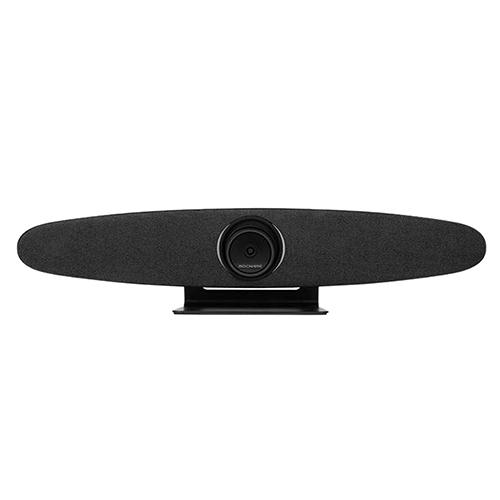
ROCKAWARE RC16 (WEBCAM )
Price 18000 USD ($)/ Number
MOQ : 1 Piece
ROCKAWARE RC16 (WEBCAM ) Specification
- Power Supply
- USB Powered
- Operating Temperature
- 0C to 40C Celsius (oC)
- Output
- Digital Video Output
- Sensors Specification
- CMOS Sensor
- Input
- Digital Signal via USB
- Interface
- USB 2.0
- Features
- Plug and Play, Built-in Microphone, Clip-on Design
- Resolution
- 1920 x 1080 pixels (Full HD)
- Components
- Webcam, USB Cable, Mounting Clip
- Power Source
- USB Powered
- Usage
- Desktop / Laptop Video Calls
- Product Type
- Webcam
- Application
- Office, Home, Online Meetings
- Rated Voltage
- DC 5V Volt (V)
- Supply Voltage
- 5V Volt (v)
- Size
- Compact
- Dimension (L*W*H)
- 90 x 60 x 55 mm Millimeter (mm)
- Function
- Webcam for video conferencing and streaming
- Color
- Black
- Weight
- Approx. 120g Kilograms (kg)
- Current Rating
- 0.2A
- Frequency
- 50Hz/60Hz Hertz (HZ)
- Image Format
- MJPEG/YUY2
- System Compatibility
- Windows, Mac OS, Linux
- Frame Rate
- 30 fps
- Field of View
- 90
- Low Light Performance
- Enhanced
- Microphone Type
- Built-in Digital Microphone
- Cable Length
- 1.5 meters
- Mounting
- Adjustable Clip and Tripod Thread
- Lens Type
- Fixed Focus, Wide Angle
ROCKAWARE RC16 (WEBCAM ) Trade Information
- Minimum Order Quantity
- 1 Piece
- Main Domestic Market
- All India
About ROCKAWARE RC16 (WEBCAM )
RC16 is equipped with a new generation of UHD CMOS image sensor, with more accurate native resolution and richer color information. With a 110ultra-large viewing angle and low-distortion 4K lens, the panoramic field of view is unobstructed. Support Auto framing and AI tracking.Clear Full HD Video Quality
With a resolution of 1920 x 1080 pixels, the ROCKAWARE RC16 Webcam delivers sharp, vibrant video for professional meetings, online classes, and live streaming. Its CMOS sensor and enhanced low-light capabilities ensure clear images regardless of lighting conditions, providing a consistent high-quality experience.
Wide-Angle View and Flexible Mounting
The 90 wide field of view accommodates multiple people or gives a broader background for presentations. Its adjustable clip and tripod thread offer easy setup on a laptop, desktop, or stand, adding flexibility for various workspace arrangements and meeting environments.
Plug-and-Play Compatibility
Enjoy effortless setup with the RC16's plug-and-play USB 2.0 interface. No additional drivers are needed for Windows, Mac OS, or Linux, making it quick to start video calls and live streams on any platform. The built-in digital microphone further simplifies usage by ensuring clear onboard audio.
FAQ's of ROCKAWARE RC16 (WEBCAM ):
Q: How do I connect the ROCKAWARE RC16 Webcam to my computer?
A: Simply plug the USB cable into your computer's USB port. The webcam is plug-and-play, requiring no additional drivers for Windows, Mac OS, or Linux operating systems.Q: What are the benefits of the RC16's wide-angle lens?
A: The 90 wide-angle lens allows you to capture a broader frame, making it ideal for group video calls, presentations, or streaming setups where more background or participants need to be included.Q: When should I use the enhanced low-light feature?
A: The enhanced low-light performance is especially useful for video calls or streaming in dimly lit environments. The camera automatically adjusts to ensure your image remains bright and clear, even when lighting is not optimal.Q: Where can I mount the ROCKAWARE RC16 Webcam?
A: You can mount the webcam directly onto your laptop or monitor using the adjustable clip, or use the tripod thread for placement on a stand or tripod for flexible positioning.Q: What applications can the RC16 be used for?
A: The RC16 is suitable for desktop and laptop video calls, online meetings, streaming, remote classes, and home or office conferencing, providing consistent Full HD video across common digital platforms.Q: How does the built-in digital microphone work?
A: The built-in digital microphone captures clear audio from your surroundings, eliminating the need for an external mic and making your video calls and streams more convenient.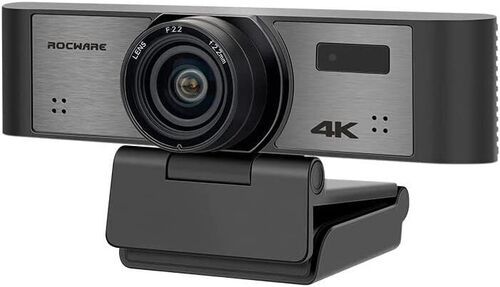
Tell us about your requirement

Price:
Quantity
Select Unit
- 50
- 100
- 200
- 250
- 500
- 1000+
Additional detail
Mobile number
Email

More Products in Video Conference Camera Category
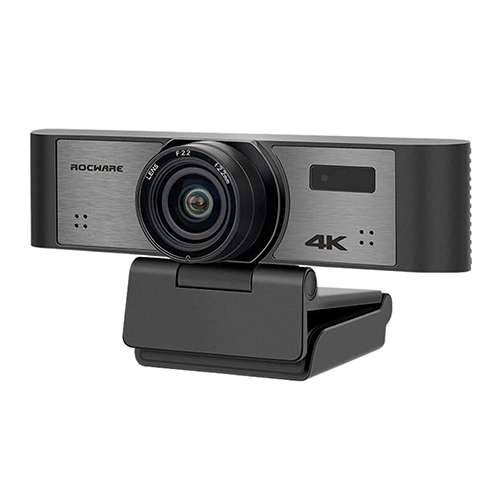
4K Ultra HD USB Camera
Price 18990 INR / Piece
Minimum Order Quantity : 1 Piece
Interface : USB
Color : Black
Power Supply : Electric
Warranty : 1 Year
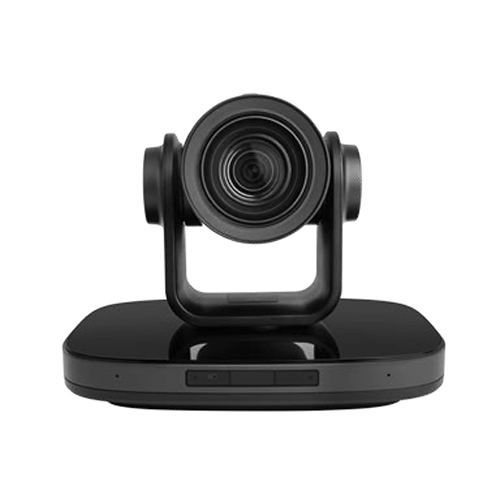
4K PTZ Video Conference Camera
Price 46500 INR / Piece
Minimum Order Quantity : 1 Piece
Interface : HDMI
Color : Black
Power Supply : Electric
Warranty : 1 Year
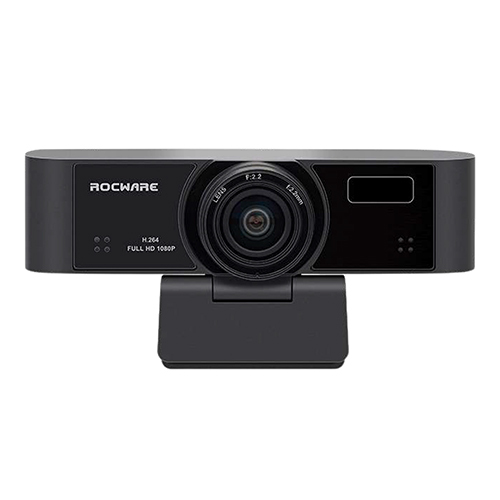
1080P Ultra Wide Field USB Camera
Price 18990 INR / Piece
Minimum Order Quantity : 1 Piece
Interface : USB
Color : Black
Power Supply : Electric
Warranty : Yes
4K UHD All In One USB Camera
Minimum Order Quantity : 1 Piece
Interface : USB
Color : Black
Power Supply : Electric
Warranty : 1 Year

 Send Inquiry


Our Products

Office Address :- 7, Raja Apt, L.T Road Near Saraswat Bank, Opp. Railway Station, Dahisar West,Mumbai - 400068, Maharashtra, India

Mr. Jayaram Shetty
(Proprietor)
Mobile :08045803266
 Send Inquiry
 Send SMS
 Call Me Free
Developed and Managed by Infocom Network Private Limited.
